![Logo_Grenton_Main_2020_RGB_v1.0-1.png]](https://knowledgebase.grenton.com/hs-fs/hubfs/Logo_Grenton_Main_2020_RGB_v1.0-1.png?height=50&name=Logo_Grenton_Main_2020_RGB_v1.0-1.png)
Note! The following instruction is dedicated for the second generation of HTTP Gate module (FW: 1.1.11-2218B)!
If we want to use information about air quality in the system, we may use an external service for this purpose e.g.: https://sensor.community
According to the example on the website: https://github.com/opendata-stuttgart/meta/wiki/EN-APIs, the API request might look like this: https://data.sensor.community/airrohr/v1/sensor/apiID/
where: apiID it is a sensor marking visible after selecting it on the map: https://maps.sensor.community/#3/40.00/15.00
Below we describe how you can easily obtain this information from two different sensors:
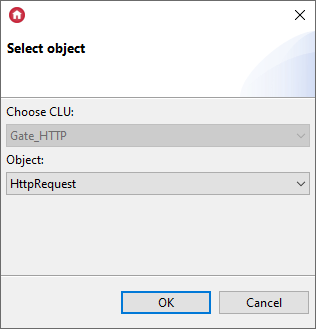
- Create the HttpRequest virtual object:
- Set the following parameters in the HttpRequest virtual object:
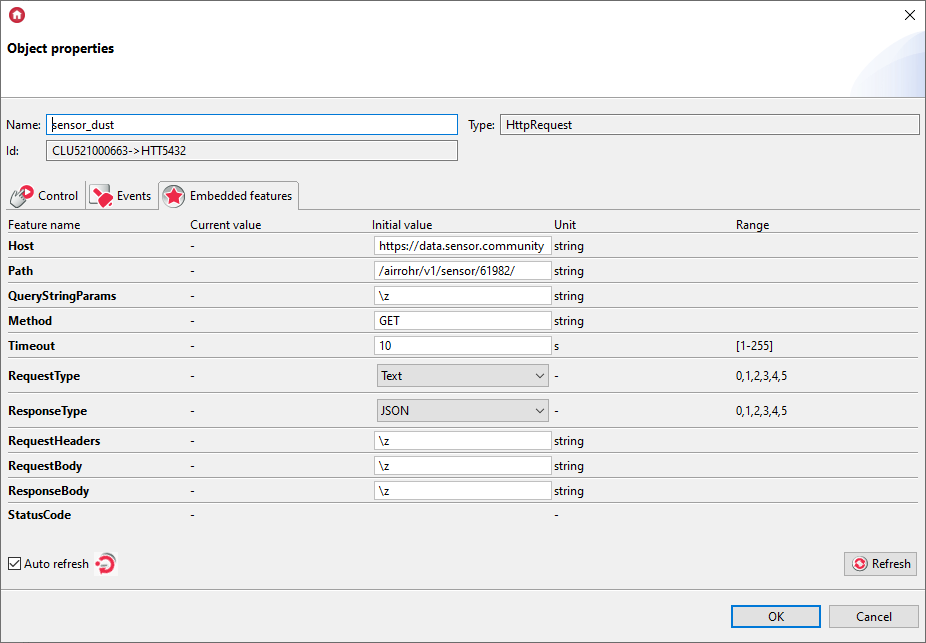
where:
Host: https://data.sensor.community
Path: /airrohr/v1/sensor/61982/
- Create another HttpRequest virtual object and set its parameters as follows:

where:
Host: https://data.sensor.community
Path: /airrohr/v1/sensor/61983/ - In the next step, create user features of the number type:
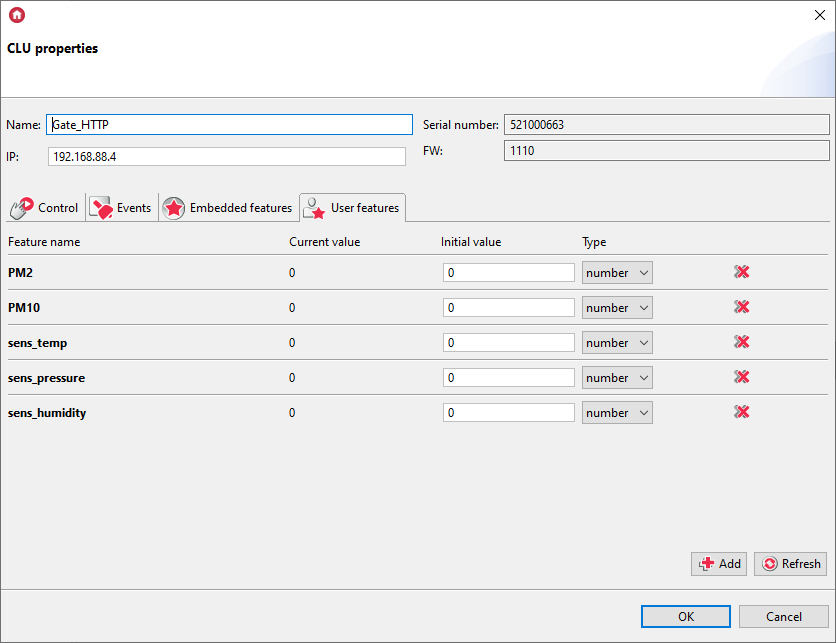
- Then prepare a script called resp_dust:
if(Gate_HTTP->sensor_dust->StatusCode==200) then

  local resp = Gate_HTTP->sensor_dust->ResponseBody
  Gate_HTTP->PM10 = resp[1].sensordatavalues[1].value
  Gate_HTTP->PM2 = resp[1].sensordatavalues[2].value

end
- Assign the script to the OnResponse event in the HttpRequest virtual object named sensor_dust:
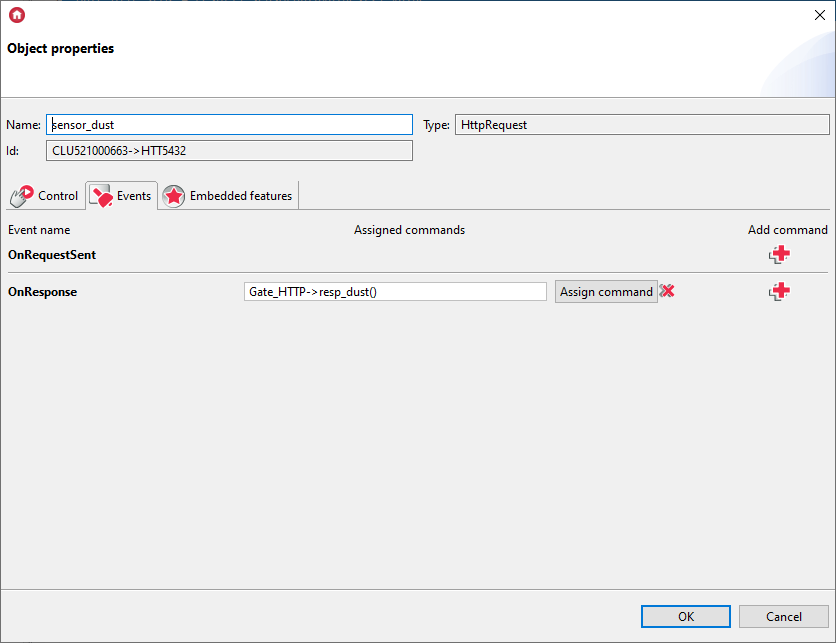
- Then prepare a script called resp_air:
if(Gate_HTTP->sensor_air->StatusCode==200) then

  local resp = Gate_HTTP->sensor_air->ResponseBody
  Gate_HTTP->sens_temp = resp[1].sensordatavalues[1].value
  Gate_HTTP->sens_pressure = resp[1].sensordatavalues[2].value/100
  Gate_HTTP->sens_humidity = resp[1].sensordatavalues[3].value

end
- Assign the script to the OnResponse event in the HttpRequest virtual object named sensor_air:
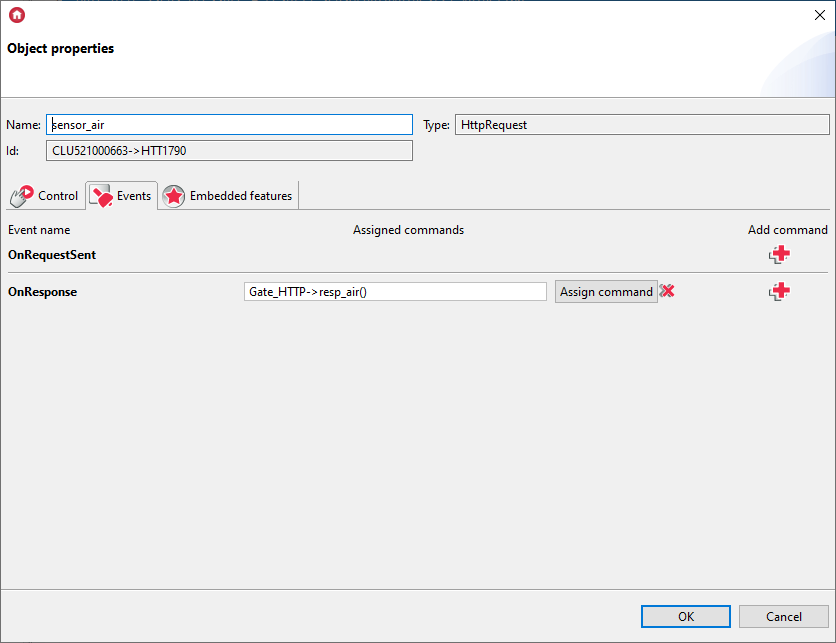
- Send the configuration to the CLU.
- After sending the configuration, in both objects call the SendRequest method.
- After calling the script, the StatusCode feature in both objects should get the value of 200.
- User feature values should get the appropriate values:
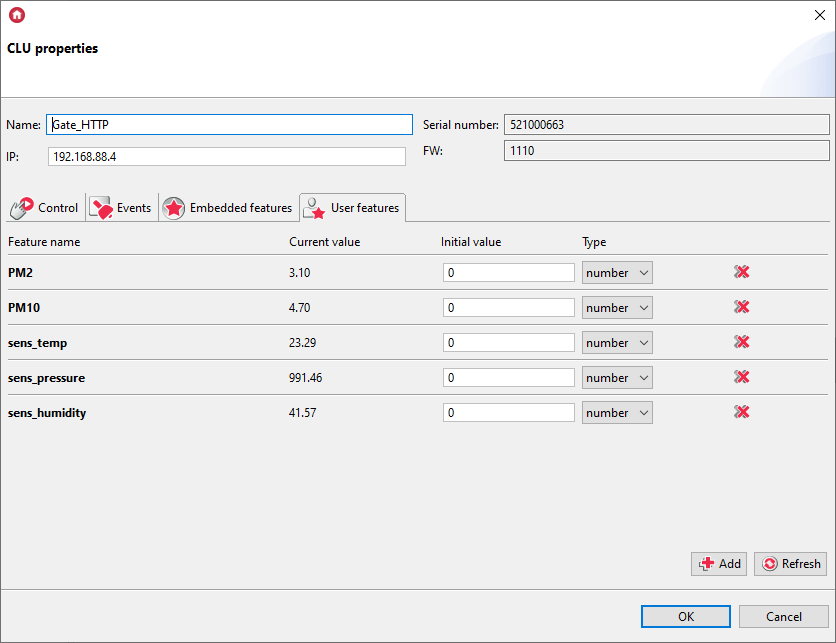
- For comparison - responses to requests sent via the browser:
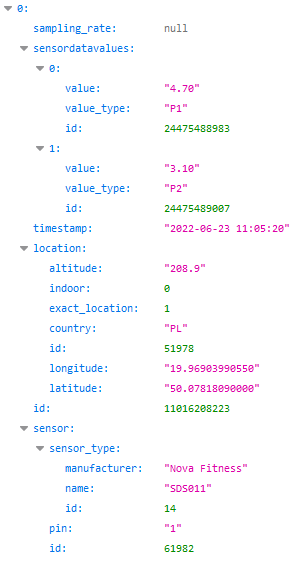
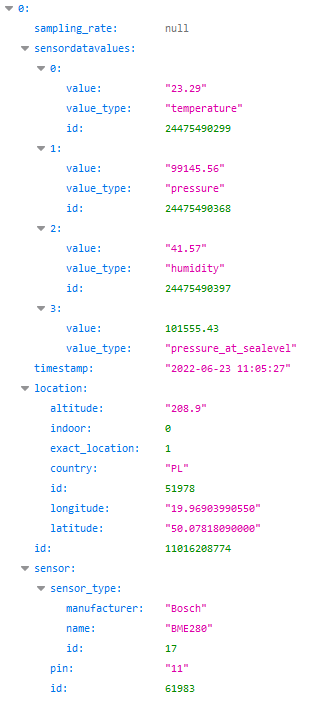
- The obtained data can be displayed in the mobile application, on the Smart Panel or used to create logic in the system.
