![Logo_Grenton_Main_2020_RGB_v1.0-1.png]](https://knowledgebase.grenton.com/hs-fs/hubfs/Logo_Grenton_Main_2020_RGB_v1.0-1.png?height=50&name=Logo_Grenton_Main_2020_RGB_v1.0-1.png)
If we want to use information about the weather, sunrise or sunset in the system, we can use an external website for this purpose, e.g. https://openweathermap.org/.
According to the example on: https://openweathermap.org/current,
the API query looks like as following:
API call: api.openweathermap.org/data/2.5/weather?q={city name}&appid={your api key}.
Below is presented how we can easily obtain this information:
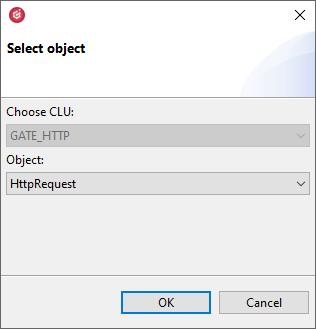
- Create the HttpRequest periphery object:
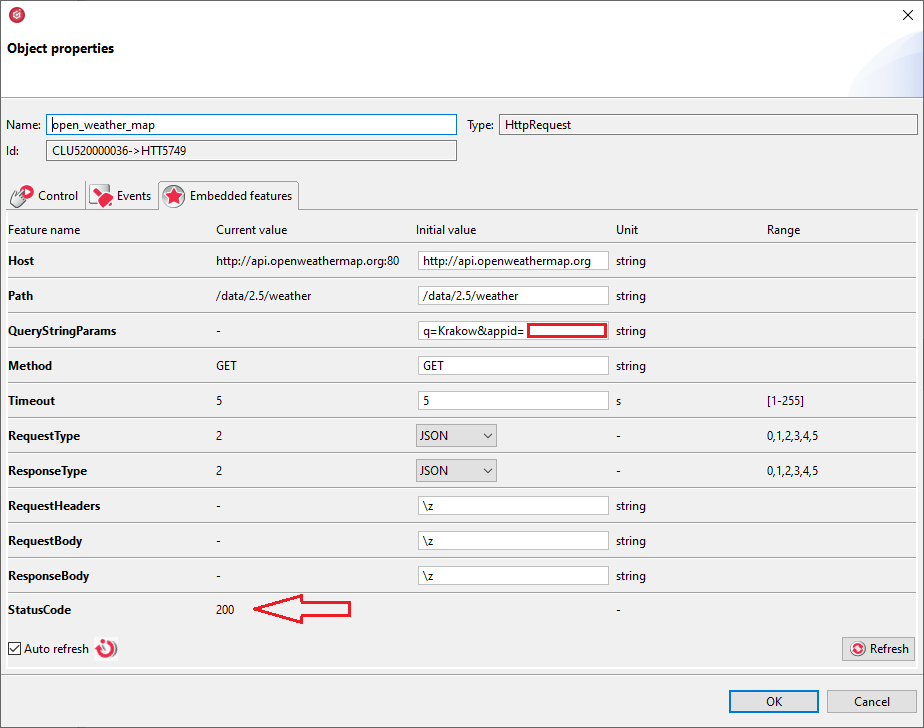
- The following parameters should be set in the HttpRequest object:
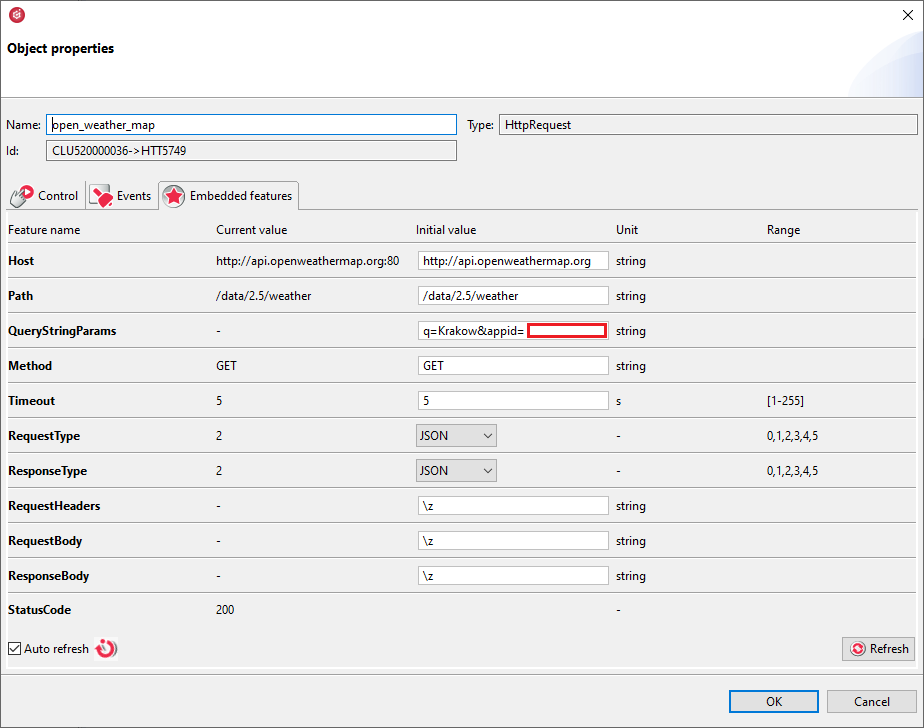
Where:
Host: api.openweathermap.org
Path: /data/2.5/weather
QueryStringParams: q=Krakow&appid={your api key}
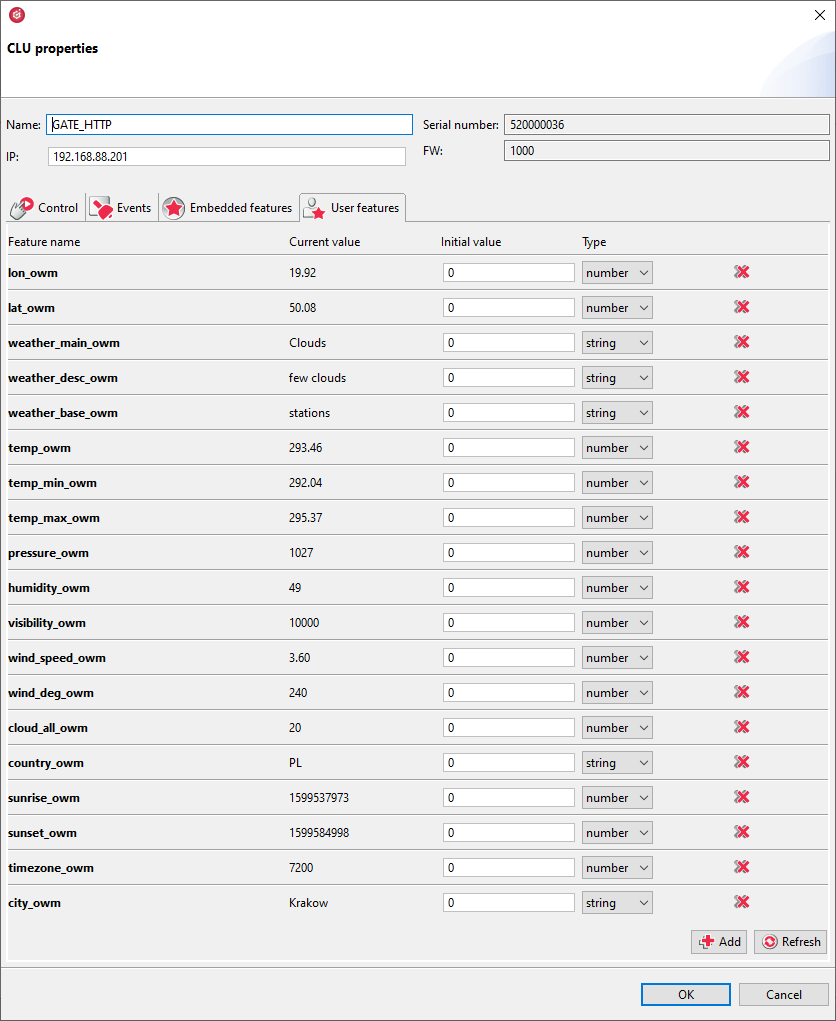
Warning! The api key is obtained after creating an account at: https://home.openweathermap.org/users/sign_up - The next step is to create user features of the number type:
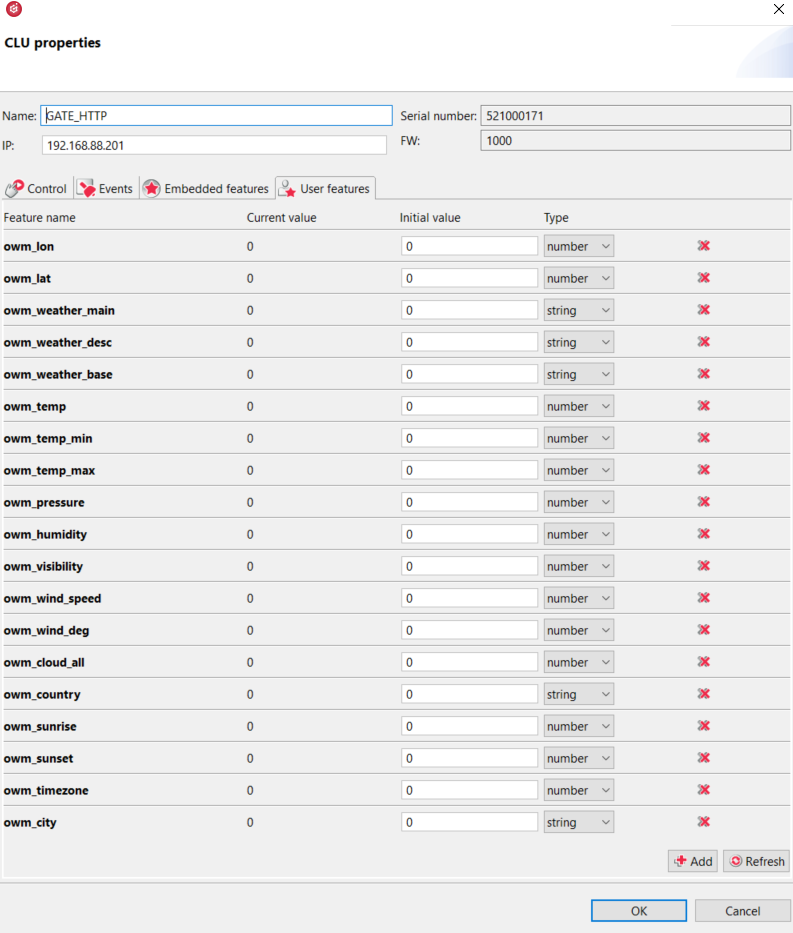
- Then prepare the script:
if(GATE_HTTP->open_weather_map->StatusCode==200) then

local resp = GATE_HTTP->open_weather_map->ResponseBody

GATE_HTTP->owm_lon = resp.coord.lon

GATE_HTTP->owm_lat = resp.coord.lat

GATE_HTTP->owm_weather_main = resp.weather[1].main

GATE_HTTP->owm_weather_desc = resp.weather[1].description

GATE_HTTP->owm_weather_base = resp.base

GATE_HTTP->owm_temp = resp.main.temp

GATE_HTTP->owm_temp_min = resp.main.temp_min

GATE_HTTP->owm_temp_max = resp.main.temp_max

GATE_HTTP->owm_pressure = resp.main.pressure

GATE_HTTP->owm_humidity = resp.main.humidity

GATE_HTTP->owm_visibility = resp.visibility

GATE_HTTP->owm_wind_speed = resp.wind.speed

GATE_HTTP->owm_wind_deg = resp.wind.deg

GATE_HTTP->owm_cloud_all = resp.clouds.all

GATE_HTTP->owm_country = resp.sys.country

GATE_HTTP->owm_sunrise = resp.sys.sunrise

GATE_HTTP->owm_sunset = resp.sys.sunset

GATE_HTTP->owm_timezone = resp.timezone

GATE_HTTP->owm_city = resp.name

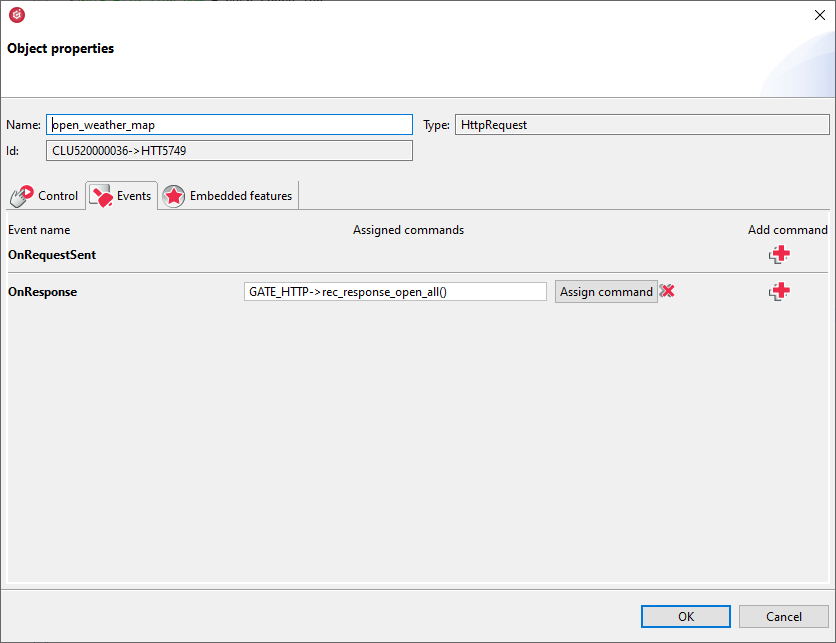
end - Assign the script to the OnResponse event in the HttpRequest periphery object:
- Then, the configuration should be sent to the CLU.
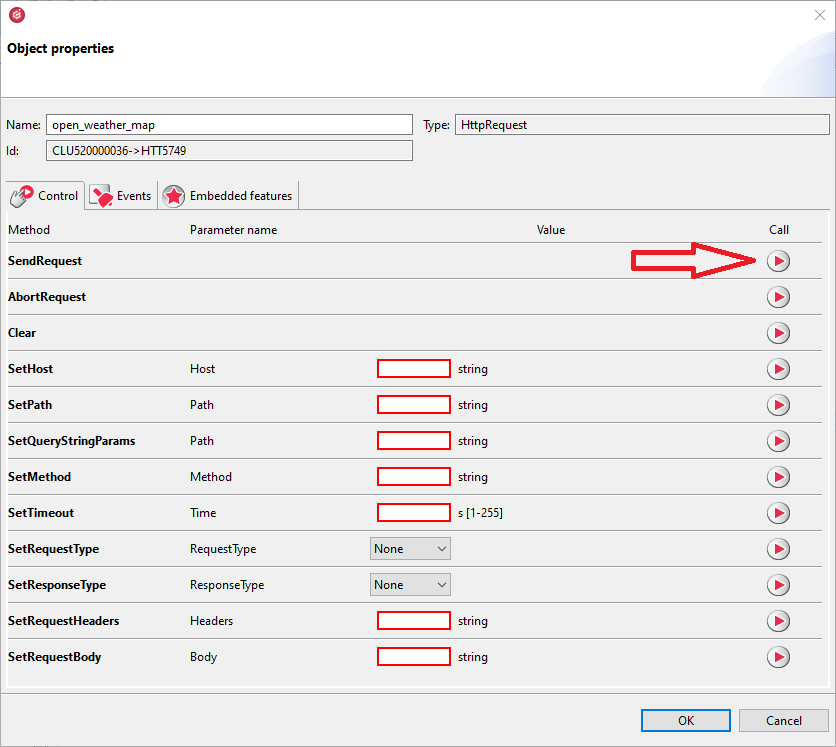
- After the configuration has been successfully sent, the SendRequest method should be called in the Control tab of the HttpRequest periphery object:
- After calling the method, the StatusCode feature should receive the value 200.
- User features values should receive appropriate values:
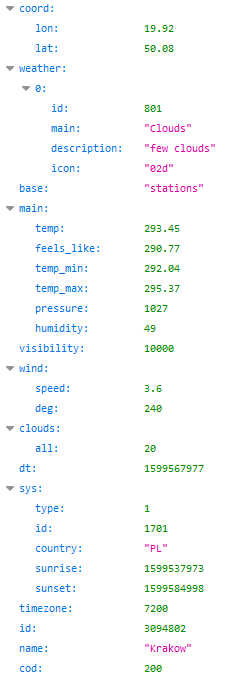
- To verify received information, it is possible to paste query to an internet browser and compare:
- The obtained data can be displayed in the mobile application and Smart Panel or use to create logic in the system.
