![Logo_Grenton_Main_2020_RGB_v1.0-1.png]](https://knowledgebase.grenton.com/hs-fs/hubfs/Logo_Grenton_Main_2020_RGB_v1.0-1.png?width=200&height=94&name=Logo_Grenton_Main_2020_RGB_v1.0-1.png)
In the case of Touch Panel and Smart Panel modules, you can select the mode of individual buttons.
In bistable mode, the LED next to the button will reflect the state of the button itself, not the controlled circuit. In this situation, there may be a difference between the button's state and the status of the circuit controlled by the button – for example, in the case of additional control via a mobile app.
To achieve the functionality of signaling the state of the controlled circuit via the LED next to the button in the Smart Panel module, you must:
- set the button mode to Monostable:
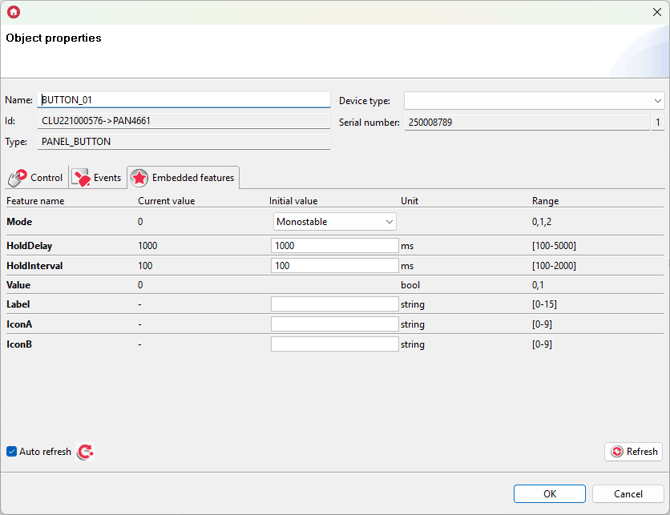
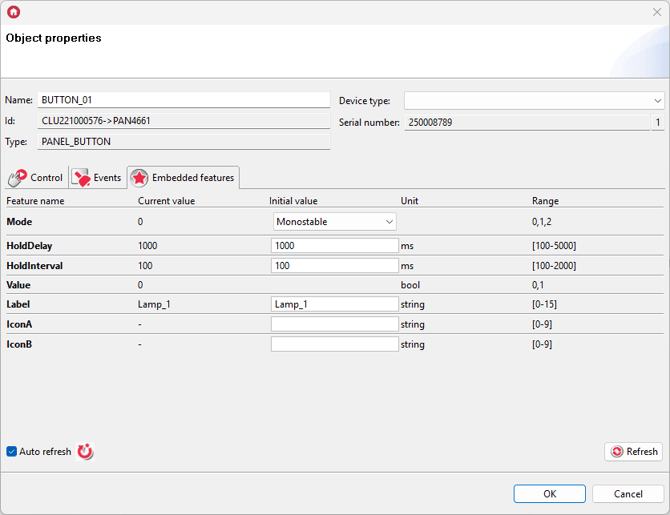
- set the Label or IconA embedded feature:
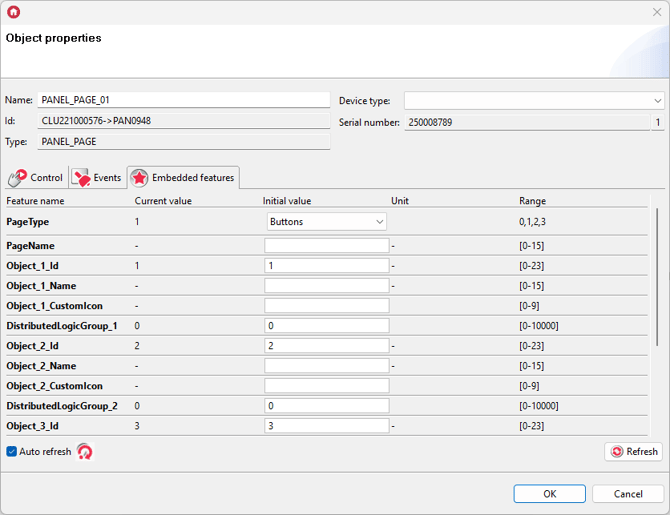
- assign a button to the selected Buttons page:
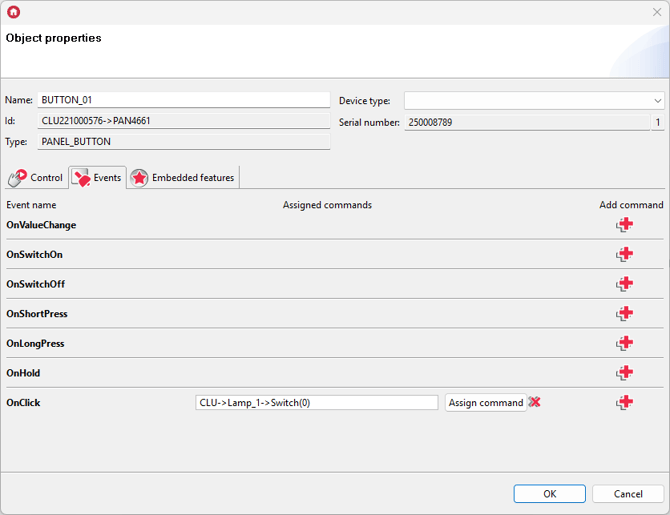
- assign the Switch(0) method of the selected circuit to the OnClick event of the button:
- assign the LedSwitchOn method of the button to the OnSwitchOn event of the output circuit (e.g. lamp):
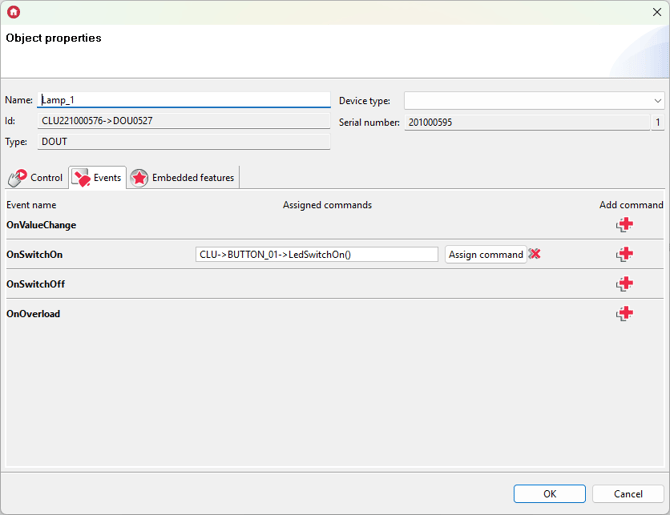
- assign the LedSwitchOff method of the button to the OnSwitchOff event of the output circuit:
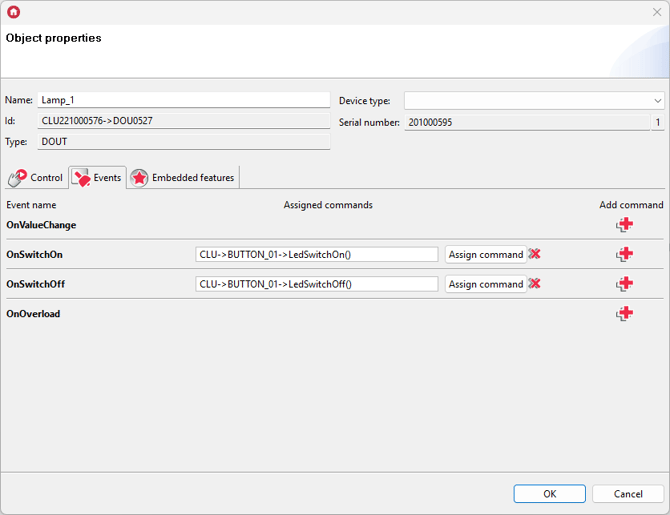
- send the configuration to the CLU.
This configuration will ensure that regardless of the triggering location, the state of the LED next to the button will represent the actual state of the output.
A similar configuration can be created for Touch Panel modules (in their case there is no need to set the Label / IconA features and assign them to a specific page).