![Logo_Grenton_Main_2020_RGB_v1.0-1.png]](https://knowledgebase.grenton.com/hs-fs/hubfs/Logo_Grenton_Main_2020_RGB_v1.0-1.png?width=200&height=94&name=Logo_Grenton_Main_2020_RGB_v1.0-1.png)
The purpose of this article is to present an example of integrating the energy meter with the Grenton Smart Home System. The following integration is using the Modbus RTU communication protocol.
The energy meter used in this example is Schneider IEM3155. Modbus documentation of this device is available here.
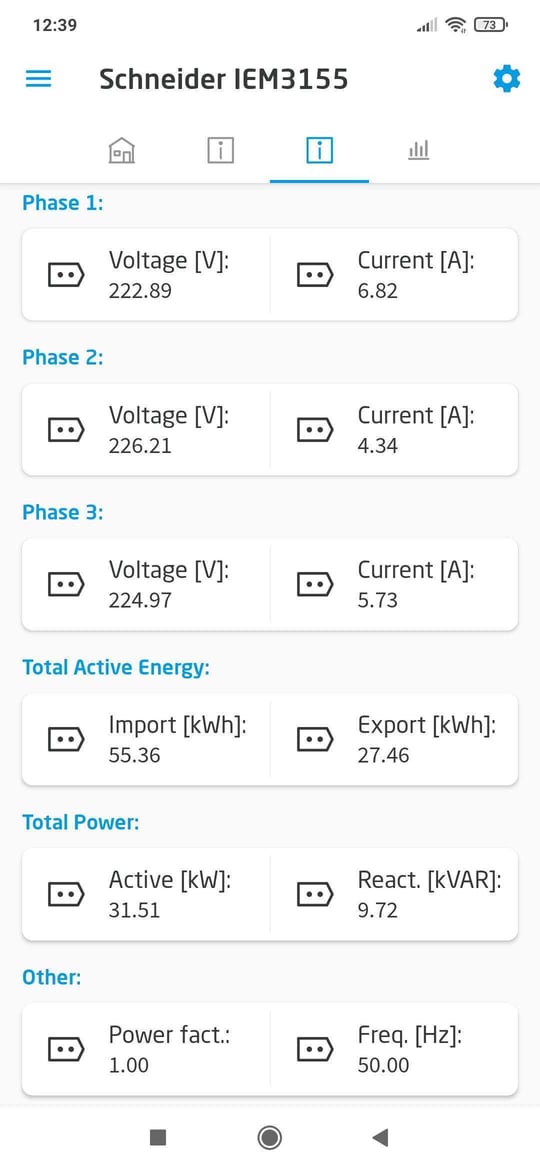
This intergation allows us to read:
- voltage and current values for individual phases;
- total active energy import and export
- total active and reactive power;
- frequency;
- power factor.
In order to execute this integration, there are needed:
- Gate Modbus (named Gate_Modbus)
- Schneider energy meter
Configuration of Modbus RTU virtual objects
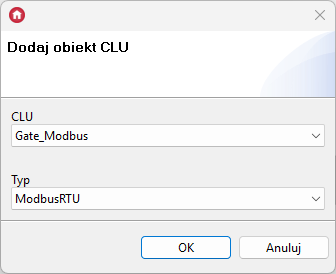
- Create a ModbusRTU virtual object:
- Ensure that the following transmission parameters are set in the integrated energy meter: 19200 bd, 8 data bits, 1 stop bit, without parity (None).
For these settings, enter the values of Embedded features in ModbusRTU virtual objects as follows:
* Phase L1 voltage: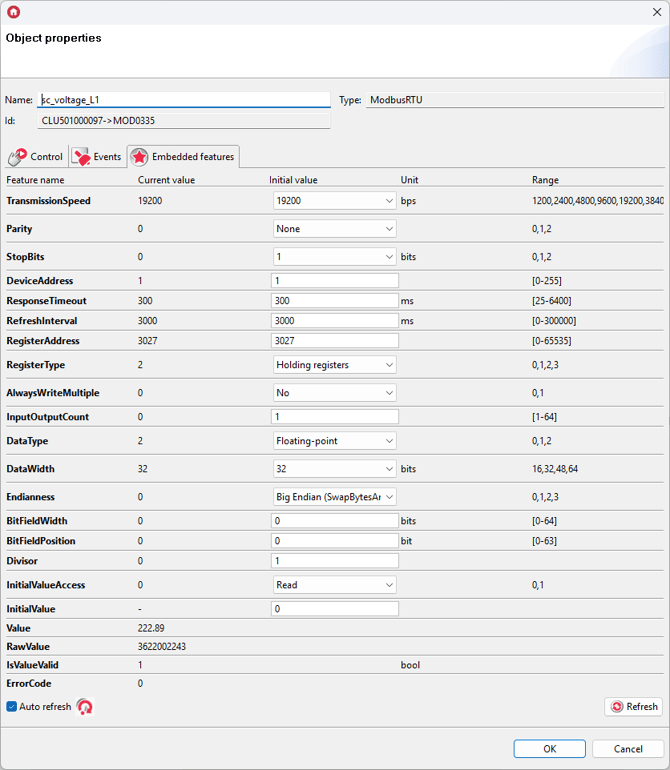
* Phase L2 voltage: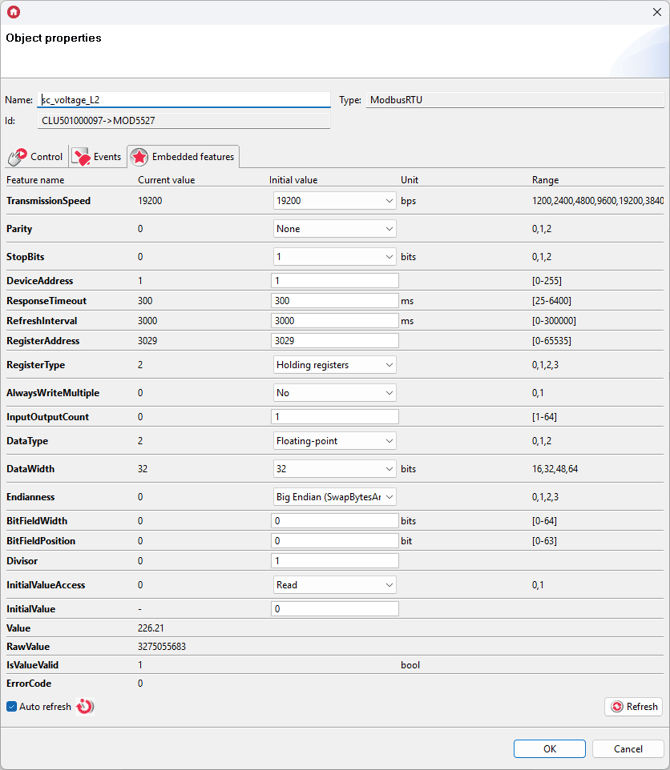
* Phase L3 voltage: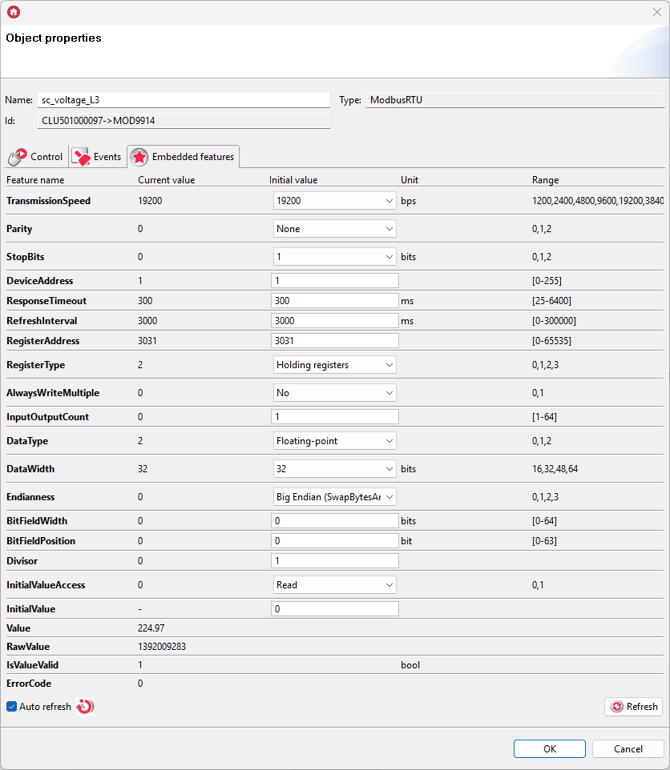
* Phase L1 current: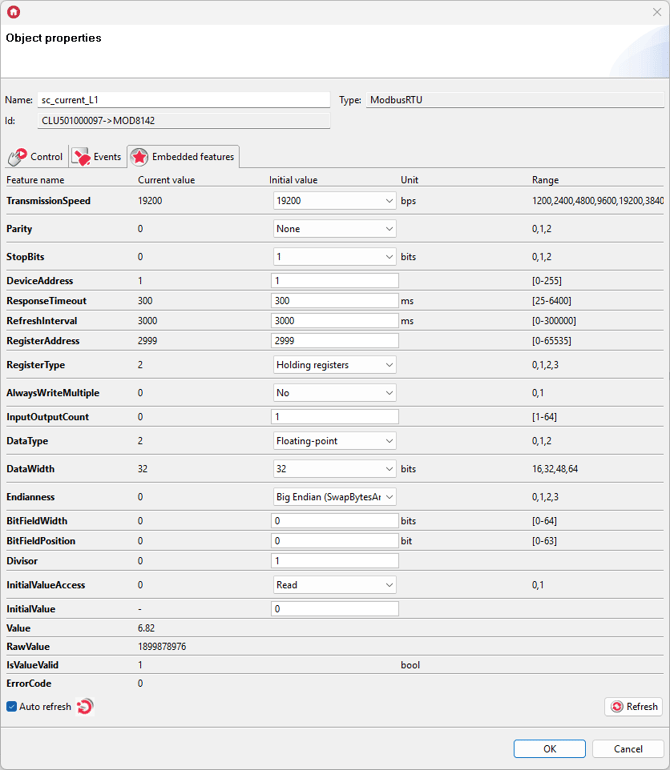
* Phase L2 current: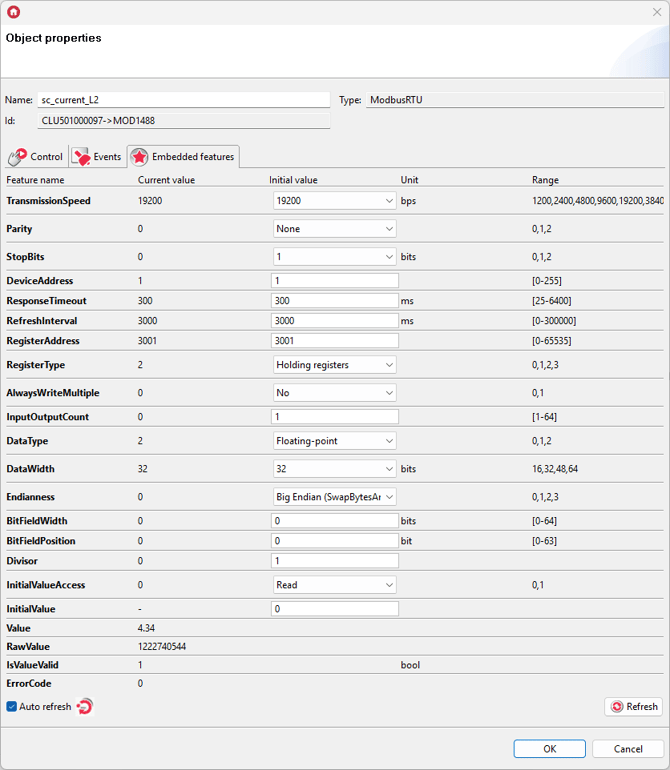
* Phase L3 current: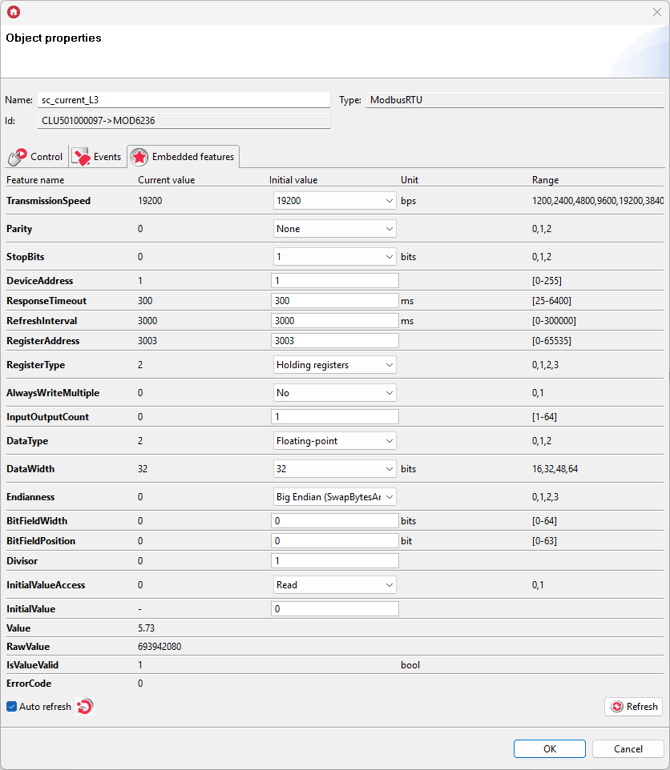
* Total active energy import: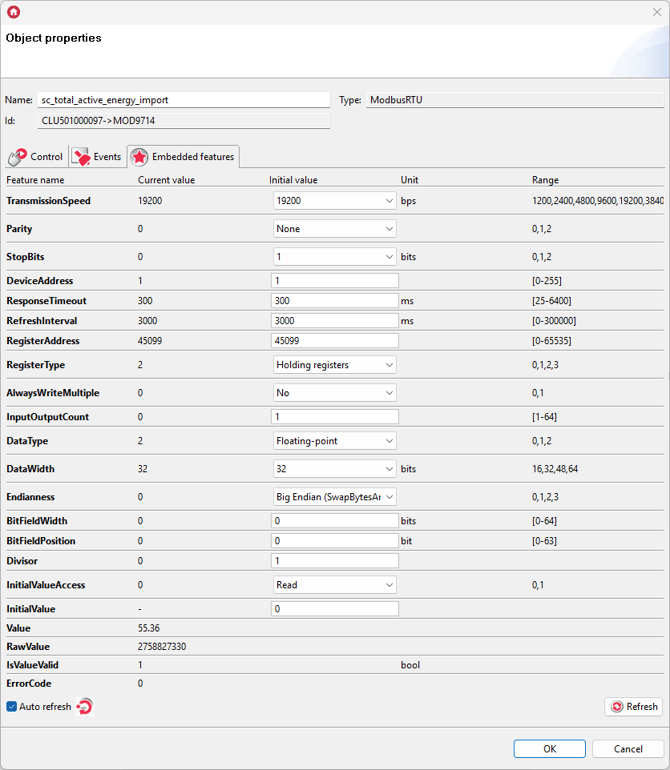
* Total active energy export: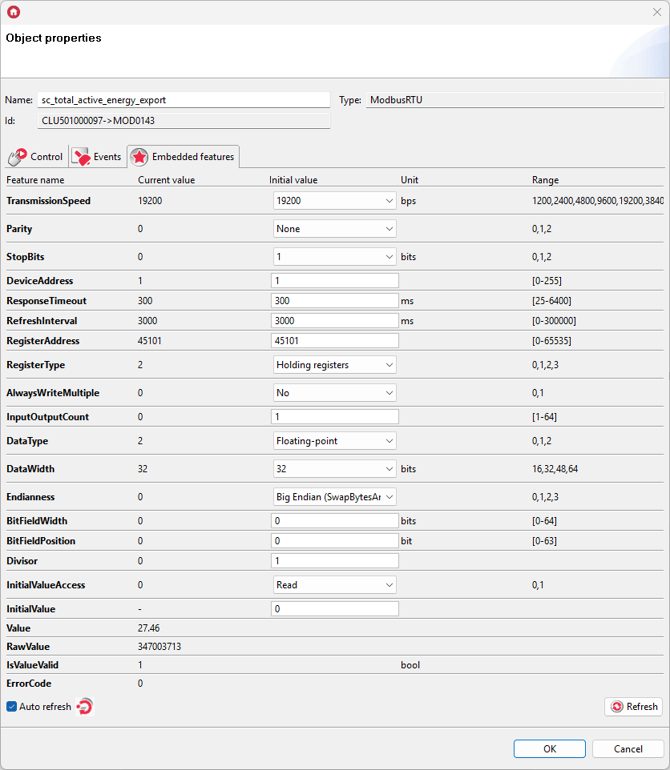
* Total active power: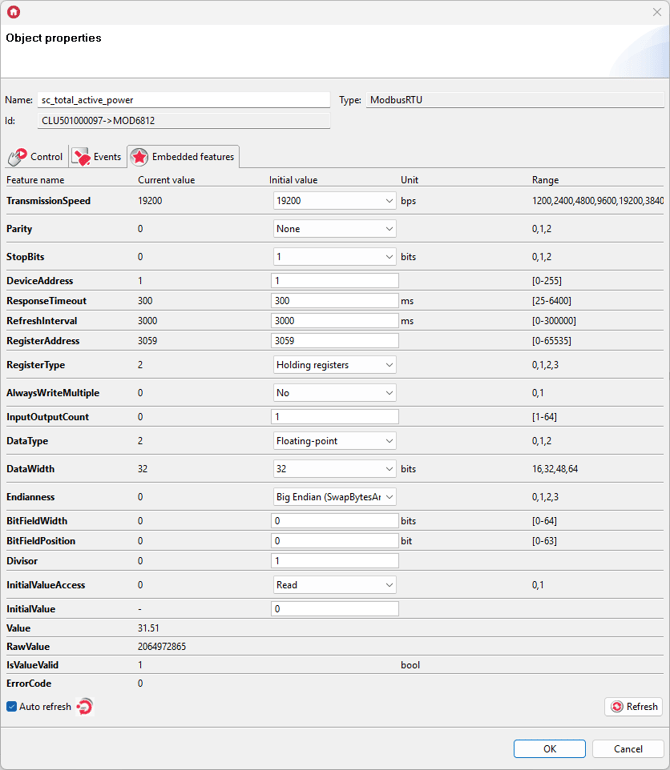
* Total reactive power: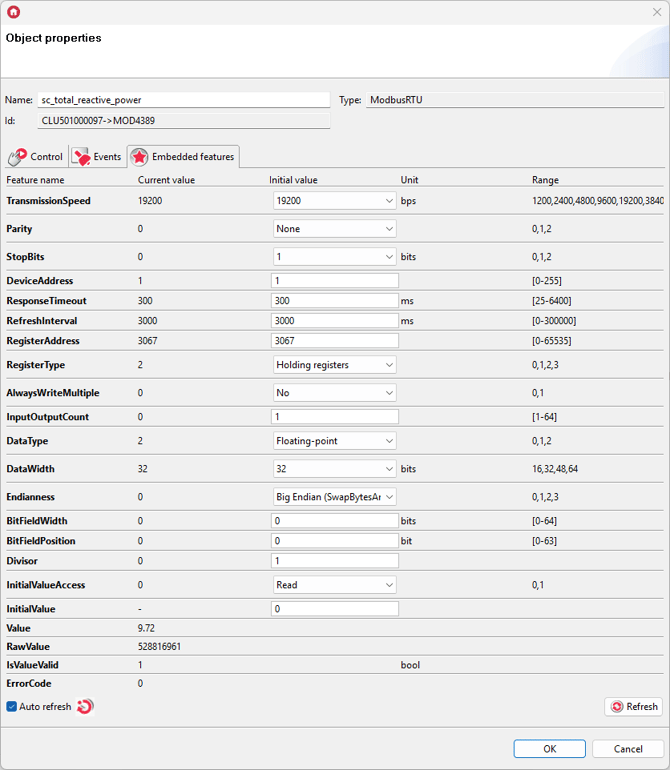
* Frequency: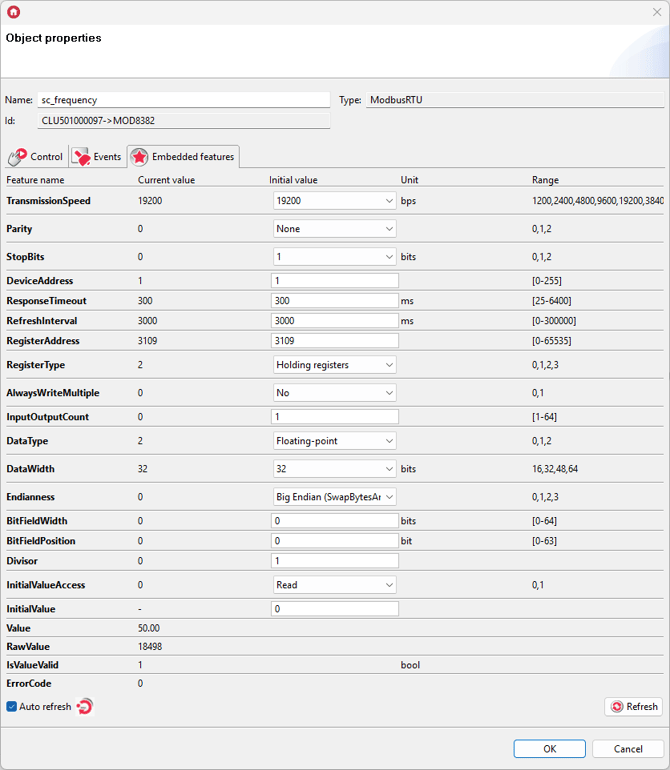
* Power factor: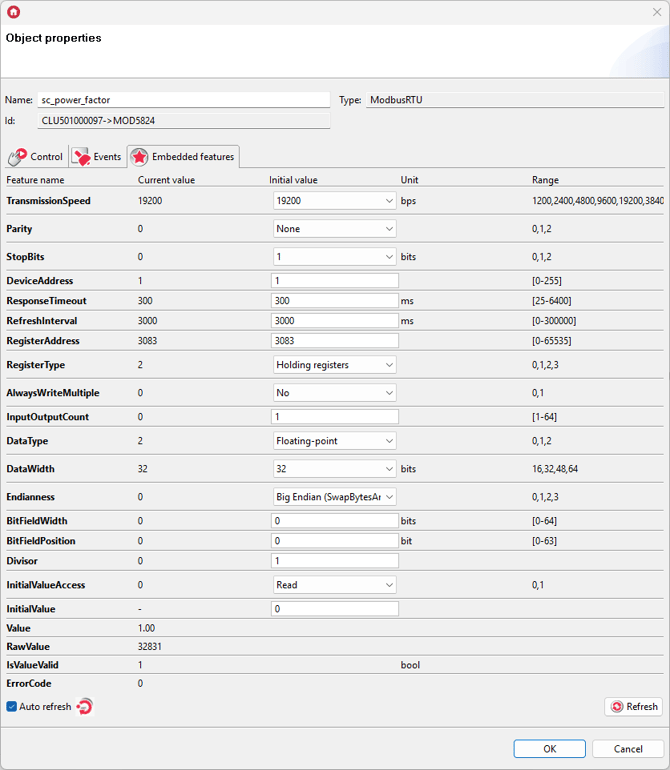
- Send the configuration to the Gate Modbus module.
- The read register values look as follows in the myGrenton application: